
Subscription Software: What You're Really Paying For Each Month

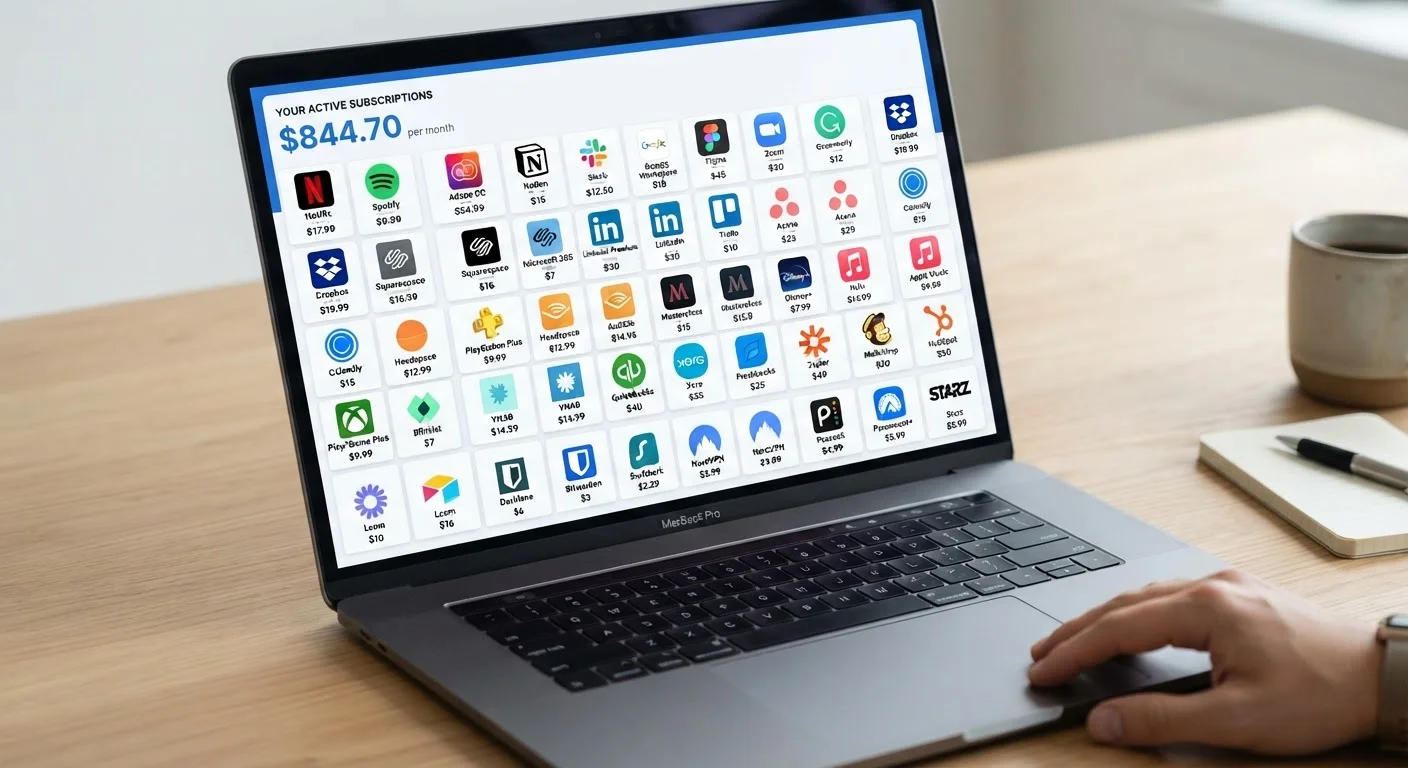
Photo: AdvisorBooth.net editorial
Key Takeaways
- Subscription software replaced most one-time purchases, shifting cost from upfront to ongoing.
- Monthly access typically includes automatic updates, cloud storage, and cross-device availability.
- Total costs add up significantly over time - often exceeding what a perpetual license once cost.
- Canceling a subscription can mean losing access to files created in that software.
- Reviewing your active subscriptions regularly is one of the more effective ways to reclaim budget.
Always access the latest version automatically
Subscribers receive updates as soon as they're released, meaning new features, performance improvements, and bug fixes arrive without any manual action or upgrade fees.
Security patches applied without user effort
Because everyone on a subscription runs the same version, vendors can deploy critical security fixes immediately and uniformly, reducing exposure to known vulnerabilities.
Lower upfront cost lowers the barrier to entry
A monthly fee is accessible to users who couldn't justify a large one-time purchase, making professional-grade tools available to freelancers, students, and small operations.
Cloud sync enables access across multiple devices
Most subscription software ties to an account rather than a single device, so files and settings follow the user across computers, tablets, and sometimes phones.
Predictable billing simplifies budgeting
A fixed monthly or annual charge is easier to plan around than unpredictable upgrade costs, particularly for businesses managing software expenses across a team.
Total cost often exceeds a one-time purchase
Over three to five years, subscription fees frequently surpass what a perpetual license once cost, making the model more expensive for long-term users who don't need every new feature.
No ownership - access ends when payment stops
Unlike a purchased license, a subscription grants access only as long as payments continue. Canceling typically means immediate loss of access to the application.
File lock-in can complicate cancellation
Documents or projects created in subscription software may use proprietary formats, making it difficult to open or edit them after canceling without another license or a compatible alternative.
Subscriptions accumulate and compound quietly
Most households and small businesses hold more active subscriptions than they track, and individually small charges can add up to a substantial monthly total that goes unnoticed.
Ongoing internet or account dependency
Many subscription products require periodic online authentication or a live connection to function fully, which can be a problem in low-connectivity environments.
How the Subscription Model Works
For most of software's history, you bought a program once and owned it - or at least owned the right to run it indefinitely. That perpetual license model has been largely replaced by software as a service (SaaS), where you pay a recurring monthly or annual fee in exchange for continued access.
What you're actually purchasing each billing cycle is the right to keep using the software, along with whatever the vendor bundles in - updates, cloud storage, technical support, or collaboration features. Stop paying, and access typically ends. The software doesn't become yours in the way a boxed copy once did.
Understanding what's inside that fee - and what isn't - is the starting point for deciding whether any given subscription is worth it. For a broader look at how recurring costs shape a budget, see how hidden recurring costs affect budgets.
The Real Advantages of Paying Monthly
The subscription model does deliver concrete value in several ways that the old one-time-purchase approach couldn't match.
Always access the latest version automatically
Subscribers receive updates as soon as they're released, meaning new features, performance improvements, and bug fixes arrive without any manual action or upgrade fees.
Security patches applied without user effort
Because everyone on a subscription runs the same version, vendors can deploy critical security fixes immediately and uniformly, reducing exposure to known vulnerabilities.
Lower upfront cost lowers the barrier to entry
A monthly fee is accessible to users who couldn't justify a large one-time purchase, making professional-grade tools available to freelancers, students, and small operations.
Cloud sync enables access across multiple devices
Most subscription software ties to an account rather than a single device, so files and settings follow the user across computers, tablets, and sometimes phones.
Predictable billing simplifies budgeting
A fixed monthly or annual charge is easier to plan around than unpredictable upgrade costs, particularly for businesses managing software expenses across a team.
One often-overlooked benefit is security. Because subscribers are always on the current version, vendors can push critical security patches immediately rather than waiting for the next major release. This matters more than most people realize - what software updates actually fix often has less to do with new features and more to do with closing vulnerabilities.
The Costs and Drawbacks Worth Knowing
The subscription model's disadvantages are just as real - and for many users, they're the deciding factor.
Total cost often exceeds a one-time purchase
Over three to five years, subscription fees frequently surpass what a perpetual license once cost, making the model more expensive for long-term users who don't need every new feature.
No ownership - access ends when payment stops
Unlike a purchased license, a subscription grants access only as long as payments continue. Canceling typically means immediate loss of access to the application.
File lock-in can complicate cancellation
Documents or projects created in subscription software may use proprietary formats, making it difficult to open or edit them after canceling without another license or a compatible alternative.
Subscriptions accumulate and compound quietly
Most households and small businesses hold more active subscriptions than they track, and individually small charges can add up to a substantial monthly total that goes unnoticed.
Ongoing internet or account dependency
Many subscription products require periodic online authentication or a live connection to function fully, which can be a problem in low-connectivity environments.
The ownership question is particularly significant. With a perpetual license, software reaching end of life still runs on your machine. With a subscription, you lose access entirely when support ends or you cancel. That's a meaningful structural difference. For context on what end-of-life means in practice, see what happens when software reaches end of life.
When Canceling Costs More Than Continuing
If you're evaluating whether a subscription makes financial sense, applying a cost-per-use framework can help cut through the monthly-number illusion. Cost-per-use math turns a monthly fee into something more honest: what you're actually paying every time you open the app.
Alternatives and What to Do With This Information
Subscriptions aren't the only option. Some software remains available as a one-time purchase. Open-source software offers capable, no-cost alternatives in categories ranging from office productivity to image editing - though it comes with its own trade-offs around support and compatibility.
The most practical step most people can take is a periodic audit of what they're actually paying for. Subscriptions accumulate quietly, and it's common to be paying for tools used rarely or not at all. A structured spending audit checklist can surface charges that have gone unnoticed for months.
The subscription model isn't inherently good or bad - it's a business arrangement with clear trade-offs. Knowing what you're getting, and what you're giving up, is what makes the difference between a subscription that earns its place in your budget and one that quietly drains it.
70%+
Enterprise software revenue now from subscriptions
Industry analysts have reported that subscription and cloud-based models now account for a majority of software revenue across enterprise categories, a dramatic shift from the perpetual-license era.
~$273
Average monthly U.S. household subscription spend
Research by C+R Research found that U.S. consumers consistently underestimate their total monthly subscription spending, with actual costs often far exceeding self-reported estimates.
The content on this site is for informational purposes only and is not a substitute for professional advice. Always consult a qualified professional for guidance specific to your situation.