
Cookies, Cache, and Local Storage: Three Browser Concepts Worth Knowing

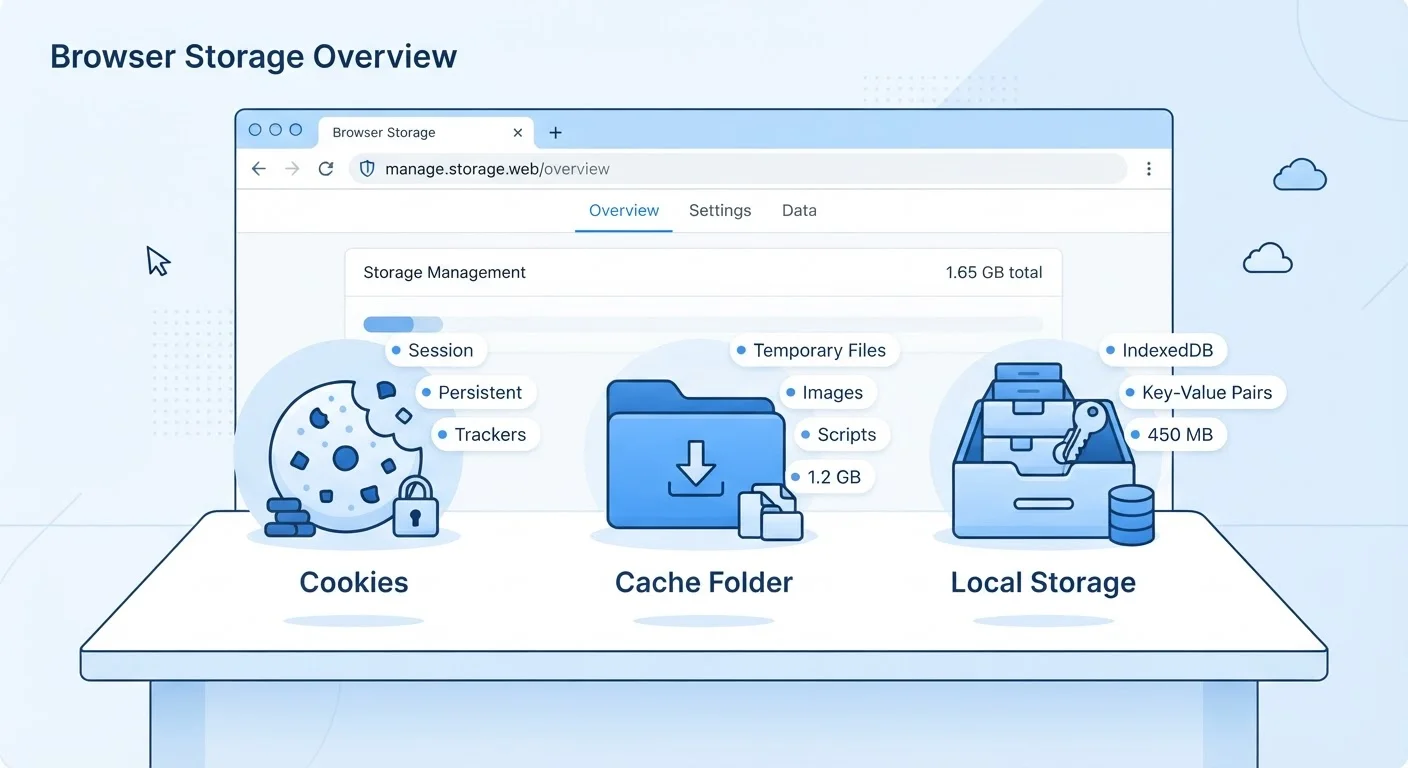
Photo: AdvisorBooth.net editorial
Why Browsers Store Data at All
Every time you visit a website, your browser is doing more than just displaying a page - it's also deciding what information to hold onto for next time. That behind-the-scenes storage is what makes the web feel fast and personal: your login stays active, pages reload instantly, and your preferences are remembered without you lifting a finger.
But not all browser storage works the same way. Cookies, cache, and local storage each serve a distinct purpose, operate under different rules, and have different privacy implications. Understanding the difference helps you make smarter choices about when to clear your data, what sites can actually remember about you, and how your browser is using your device's memory. For a broader look at how your browser communicates with the internet in the first place, see what happens when you type a web address.
| What cookies store | Small text data (login tokens, preferences, tracking IDs) |
| What cache stores | Copies of website files (images, scripts, stylesheets) |
| What local storage holds | App data and user state - up to ~5-10 MB per site (Varies by browser) |
| Cookie lifespan | Session-only to multi-year, depending on site settings |
| Cache lifespan | Until manually cleared or browser limit reached |
| Local storage lifespan | No expiration - persists until cleared by user or site |
| Sent to server automatically? | Cookies: yes. Cache & local storage: no. |
Cookies: Tiny Text Files With a Big Job
A cookie is a small piece of text that a website saves to your browser. When you return to that site, the browser sends the cookie back, allowing the site to recognize you. That's how a shopping cart keeps its contents between sessions, how you stay logged into accounts without re-entering your password every visit, and how sites remember preferences like language or display settings.
Cookies have an expiration date built in. Session cookies vanish the moment you close your browser tab. Persistent cookies stick around for days, months, or even years - depending on what the site sets. Third-party cookies come from domains other than the site you're visiting and are primarily used for cross-site ad tracking, which is why they've attracted growing regulatory attention in recent years.
Cookies don't store large files or run code - they're just data labels. Their privacy impact comes from how they're used: a site can use a cookie to build a profile of your browsing habits over time. This is why browsers and regulations increasingly give users control over which cookies are accepted. If you're weighing the trade-offs of storing sensitive details online, saving card details on shopping sites is a related consideration worth understanding.
Cookie
A small text file a website stores in your browser to remember information about you, such as login status or preferences. Cookies are sent back to the originating website with each visit.
Browser Cache
A local store of website files - images, scripts, stylesheets - saved on your device so pages load faster on repeat visits without re-downloading all assets.
Local Storage
A browser feature that lets websites save larger amounts of data on your device with no expiration date. Unlike cookies, this data is not automatically sent to the web server.
Session Cookie
A type of cookie that is automatically deleted when you close your browser tab or window. It holds temporary data, such as what's in a shopping cart during a single visit.
Third-Party Cookie
A cookie set by a domain other than the website you are visiting, most commonly used by advertisers to track browsing activity across multiple sites.
Persistent Cookie
A cookie that remains on your device after you close the browser, lasting until its programmed expiry date or until you manually clear it.
Cache: Saving the Heavy Lifting
The browser cache (pronounced "cash") stores copies of website assets - images, stylesheets, scripts, fonts - directly on your device. The next time you visit that page, your browser loads these files locally instead of downloading them again from the server. The result is noticeably faster page loads and reduced data use.
Unlike cookies, the cache isn't about identifying you. Its only job is efficiency. The cache is why a website might look "stuck" after a redesign: your browser is showing you the old saved version instead of fetching the updated one. Clearing the cache forces a fresh download of all assets, which is often the first step when a site isn't displaying correctly.
Cache files can grow large over time, sometimes consuming several gigabytes on devices you browse heavily. If storage is a concern on your device, keeping your apps and storage organized covers practical ways to reclaim space. For a deeper comparison of how different types of storage work at the hardware level, see RAM, ROM, SSD, and the cloud compared.
Local Storage: A Bigger, Persistent Workspace
Local storage is a more modern browser feature that lets websites store larger amounts of data on your device - without an expiration date. Unlike cookies, local storage data is never automatically sent to the web server with each page request; it stays on your device and is only read by scripts running on that specific site.
Web apps use local storage to save things like draft text you haven't submitted yet, user interface preferences, offline data for progressive web apps, or app state between sessions. Because it holds more data and doesn't travel over the network the way cookies do, it's well suited to richer, app-like experiences in the browser. To understand how that fits into the broader landscape of browser-based applications, see native apps, web apps, and progressive web apps compared.
Local storage is also separate from the cloud. Data saved there lives on one device in one browser - if you switch browsers or clear your browser data, it's gone. For context on the distinction between local and cloud-based storage more broadly, cloud storage versus cloud apps is a useful companion read.
This article is for general informational purposes only. Browser behavior may vary by browser version and operating system.
The content on this site is for informational purposes only and is not a substitute for professional advice. Always consult a qualified professional for guidance specific to your situation.