
Understanding IP Addresses: Public, Private, Static, and Dynamic

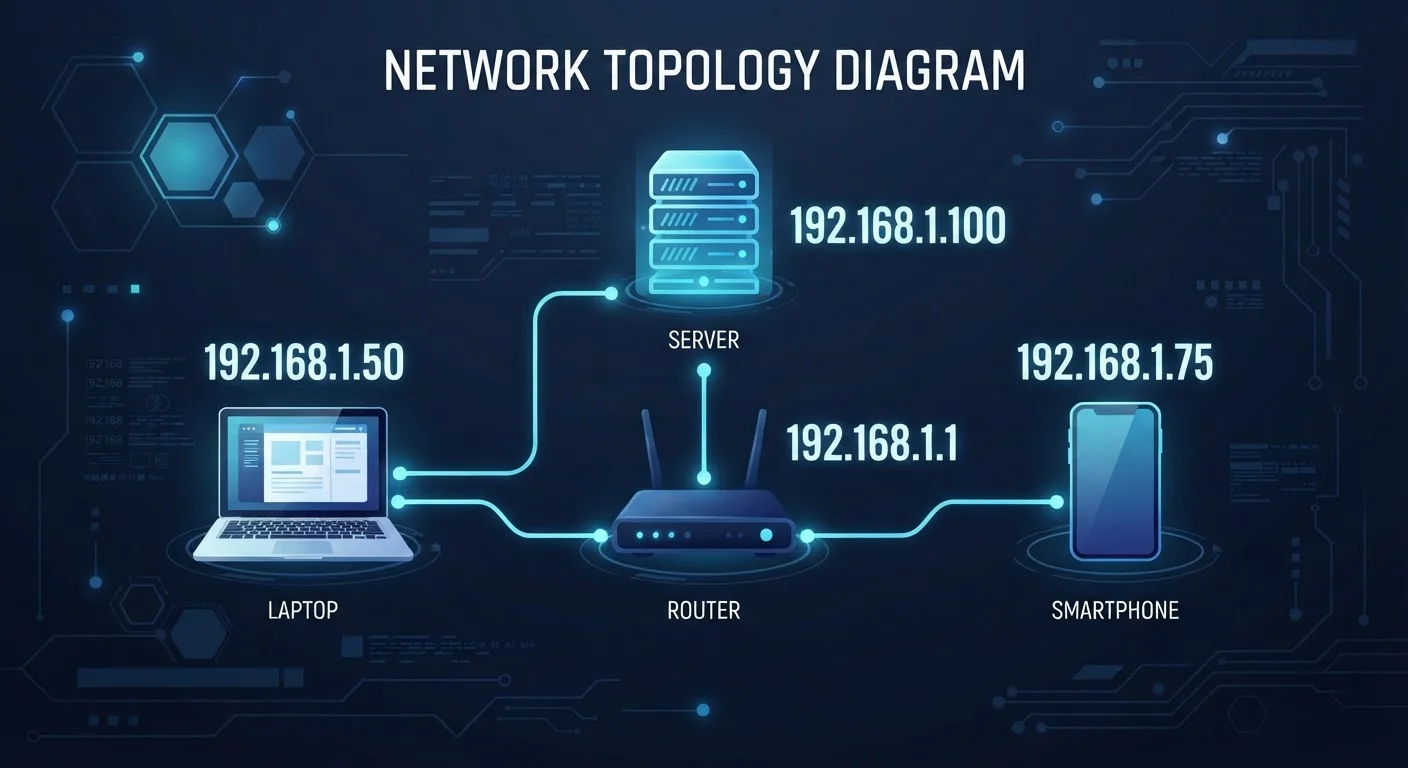
Photo: AdvisorBooth.net editorial
Key Takeaways
- Public IP addresses identify your network on the internet; private IP addresses work only within your home network.
- Your internet service provider (ISP) assigns your public IP address - you don't choose it.
- Most home users have a dynamic IP address that changes periodically, rather than a fixed static one.
- Static IP addresses are commonly used by businesses hosting websites or running servers.
- Understanding IP types helps you troubleshoot connectivity issues and make sense of privacy concerns.
Public vs. Private IP Addresses
Every internet-connected household has two layers of IP addresses in play at once - and most people never realize it.
Your public IP address is the one the internet sees. It's assigned to your router by your internet service provider (ISP) and acts as your network's identity on the global internet. When you load a website, that site sees your public IP, not the address of the individual device you're using.
Inside your home, your router assigns a separate private IP address to each connected device - your phone, laptop, smart TV, and so on. These addresses follow reserved ranges (such as 192.168.x.x or 10.x.x.x) that are never routed on the public internet. They exist purely to organize traffic within your local network.
The router acts as a translator between these two worlds, a process called NAT. When your laptop requests a webpage, the router sends that request outward under your single public IP, then routes the response back to your laptop's private address. This is why an entire household can share one public IP while each device still has a distinct internal identity.
IPv4 and IPv6: Two Coexisting Standards
For a broader look at how your devices connect, see our beginner's guide to home internet and the home network glossary.
Static vs. Dynamic IP Addresses
Beyond the public/private distinction, IP addresses also differ in how long they stick around.
A dynamic IP address changes over time. Your ISP draws from a pool of available addresses and assigns one to your router - but that assignment isn't permanent. When your router reconnects, or after a set period, it may receive a different address. For the vast majority of home users, this is completely fine and goes unnoticed.
A static IP address, by contrast, stays the same every time you connect. ISPs typically offer static IPs as a premium option, and they're most useful when other systems need to reliably find your network at a consistent address - for example, if you're hosting a website, running a remote access server, or operating security cameras accessible from outside your home.
Assigning a Static Private IP to Key Devices
Private IP addresses within your home network can also be static or dynamic. Routers use DHCP to automatically assign private addresses to devices, but you can manually assign a fixed private IP to a specific device - useful for printers or home media servers you want to find at a predictable address.
Understanding which type of connection your devices use is closely related to how your router and ISP interact. Our explainer on Wi-Fi, Ethernet, and cellular connections covers how these networks hand off addressing differently.
Why IP Address Types Matter for Everyday Users
Knowing the difference between these address types isn't just trivia - it has real implications for privacy, troubleshooting, and security.
Privacy: Your public IP address is visible to every website you visit. While it doesn't expose your home address, it does indicate your general location and can be used to build a profile of your browsing behavior. Some users use a VPN to mask their public IP, though it's worth understanding that this shifts - rather than eliminates - the question of who sees your address.
Troubleshooting: Many common connectivity problems trace back to IP conflicts or misconfigured addresses. If two devices on your network are accidentally assigned the same private IP, one or both may lose their connection. Restarting your router, which triggers DHCP to reassign addresses, often resolves this.
Security: Because private IP addresses are invisible from the internet, devices behind a router have a layer of natural protection. However, that doesn't make them invulnerable - malware, weak Wi-Fi passwords, and unpatched firmware can still create vulnerabilities.
4.3 billion
Maximum unique IPv4 addresses possible
The IPv4 address space, defined in the early 1980s, has been effectively exhausted globally, driving the adoption of IPv6.
340 undecillion
Unique addresses supported by IPv6
IPv6 was designed to accommodate the explosion in internet-connected devices by providing a vastly larger address pool than IPv4.
~45%
Global IPv6 adoption rate (Google estimate)
According to Google's IPv6 statistics, roughly 45% of users accessing Google services do so over IPv6, reflecting ongoing but incomplete transition.
IP addressing is also foundational to understanding other browser and internet concepts. If you want to go deeper on related topics, the article on cookies, cache, and local storage explains how websites track and store information alongside your IP.
Frequently Asked Questions
The content on this site is for informational purposes only and is not a substitute for professional advice. Always consult a qualified professional for guidance specific to your situation.