
Home Network Glossary: 30 Terms Explained in Plain English

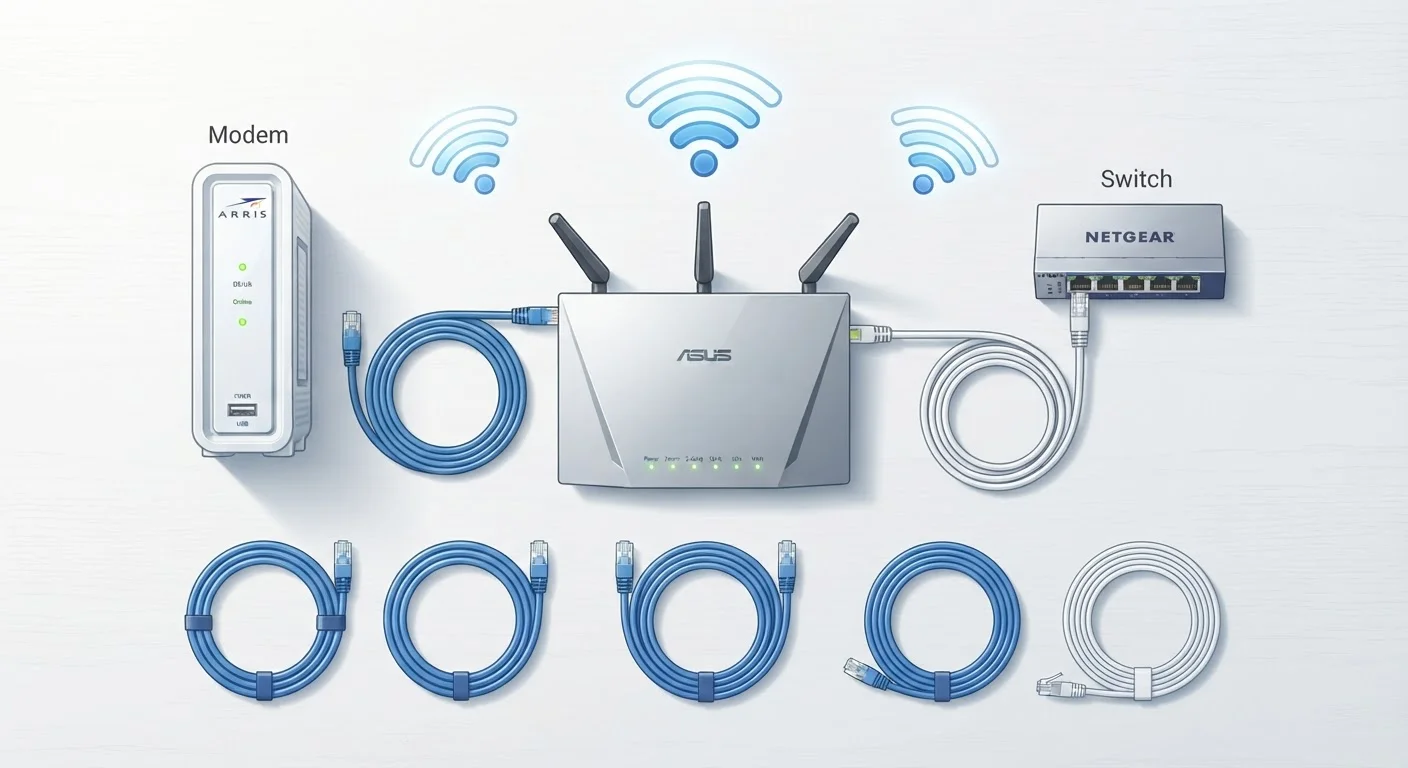
Photo: AdvisorBooth.net editorial
Why Networking Terms Matter
Whether you're setting up a new router, calling your internet provider about a slow connection, or just trying to understand why your video call keeps dropping, you've almost certainly run into a wall of unfamiliar terminology. Words like bandwidth, latency, and SSID get thrown around as if everyone already knows what they mean - but most people don't, and that's perfectly reasonable.
This glossary cuts through the jargon. The 30 terms below cover the vocabulary you're most likely to encounter when managing, troubleshooting, or upgrading a home network. For a deeper look at speed numbers specifically, see making sense of internet speed numbers. And if you're starting from scratch, everything beginners should know about home internet is a solid foundation.
Router
A device that directs data traffic between your home network and the internet. It also assigns private IP addresses to each device in your home.
Modem
A device that connects your home to your internet service provider (ISP) by converting the ISP's signal into data your home network can use.
Bandwidth
The maximum rate at which data can travel through a network connection, typically measured in Mbps or Gbps. Higher bandwidth supports more simultaneous data-heavy activities.
Latency
The time it takes for a data packet to travel from your device to a server and back, measured in milliseconds (ms). Lower latency means more responsive connections.
SSID
Service Set Identifier - the name of a Wi-Fi network that appears when you search for available connections on a device.
IP Address
A numerical label assigned to each device on a network that identifies it and enables communication. Every device on your home network has a private IP address; your network also has one public IP address visible to the internet.
DNS
Domain Name System - the service that translates human-readable web addresses (like example.com) into the numerical IP addresses that computers use to locate servers.
VPN
Virtual Private Network - a service that encrypts your internet traffic and routes it through a secure server, providing privacy and masking your IP address from outside observers.
Firewall
A security system that monitors and controls incoming and outgoing network traffic based on predefined rules. Most home routers include a built-in firewall.
Mesh Network
A home Wi-Fi system that uses multiple nodes to create one unified wireless network throughout a larger space, eliminating dead zones and allowing seamless device roaming.
WPA3
Wi-Fi Protected Access 3 - the current industry-standard security protocol for encrypting wireless network traffic, replacing the older WPA2 standard.
QoS
Quality of Service - a router feature that allows you to prioritize specific types of network traffic, such as video calls or gaming, over lower-priority tasks like file downloads.
Core Connection Concepts
These terms describe the fundamental building blocks of how your home connects to the internet and how data travels within your household.
| Role of a modem | Connects your home to the ISP's infrastructure |
| Role of a router | Distributes the internet connection to all home devices |
| Latency measurement unit | Milliseconds (ms) |
| Common Wi-Fi frequency bands | 2.4 GHz, 5 GHz, and 6 GHz |
| Current Wi-Fi security standard | WPA3 |
| What DHCP does | Automatically assigns private IP addresses to devices on your network |
Your modem is the device that physically connects your home to your internet service provider (ISP). Your router takes that connection and distributes it - either wirelessly or through cables - to all the devices in your home. Many ISPs supply a single unit that does both jobs, sometimes called a gateway.
Bandwidth refers to the maximum amount of data that can travel through your connection at once - think of it like the width of a pipe. Latency (often called ping) is the time it takes for a signal to travel from your device to a server and back, measured in milliseconds. High latency is why online games feel laggy even when your download speed looks fine.
IP address stands for Internet Protocol address - a numerical label assigned to every device on a network. Your home network has one public IP address that faces the internet, and each device inside your home gets a private IP address managed by your router. DHCP (Dynamic Host Configuration Protocol) is the process by which your router automatically assigns those private addresses, so you rarely have to do it manually.
An Ethernet connection uses a physical cable to link a device directly to a router or switch. Wired connections are generally faster and more stable than Wi-Fi. A switch expands the number of wired ports available on your network, useful when a router's built-in ports aren't enough. For a broader look at how everyday devices connect and store data, see our storage terms explained.
Wi-Fi and Wireless Terms
Wi-Fi has its own sub-language. Understanding these terms helps you configure your network correctly and interpret what your router's settings actually mean.
Your SSID (Service Set Identifier) is simply the name of your Wi-Fi network - what you see when you search for available networks on a phone or laptop. Most routers let you customize this in their settings.
Frequency bands are the radio frequencies your router uses to broadcast Wi-Fi. The two most common are 2.4 GHz and 5 GHz. The 2.4 GHz band travels farther and penetrates walls more easily but is slower and more prone to interference. The 5 GHz band is faster but has a shorter effective range. Many modern routers also support 6 GHz (Wi-Fi 6E), which offers even greater speeds with less congestion.
Wi-Fi standards are versioned protocols that define how wireless communication works. Wi-Fi 5 (802.11ac) and Wi-Fi 6 (802.11ax) are the most common in current home routers. Higher numbers generally mean better performance, especially in homes with many connected devices.
WPA2 and WPA3 are security protocols that encrypt traffic on your Wi-Fi network. WPA3 is the newer and more secure of the two. If your router supports WPA3, it's worth enabling.
A mesh network uses multiple hardware nodes placed around a home to create a single, seamless Wi-Fi network - eliminating dead zones without requiring you to switch between different SSIDs as you move from room to room. A Wi-Fi extender (or repeater) is a simpler and less expensive alternative that rebroadcasts an existing signal, though it can sometimes introduce its own latency.
MU-MIMO (Multi-User, Multiple Input, Multiple Output) is a technology that lets a router communicate with several devices simultaneously rather than taking turns - a meaningful upgrade in busy households.
Security and Advanced Terms
These concepts come up when you're locking down your network, diagnosing problems, or connecting devices remotely.
A firewall monitors incoming and outgoing network traffic and blocks connections that appear suspicious or unauthorized. Most home routers include a basic built-in firewall.
NAT (Network Address Translation) is what allows multiple devices in your home to share a single public IP address. Your router handles NAT automatically - it translates your devices' private addresses into the one public address your ISP assigned to you.
DNS (Domain Name System) is the internet's address book. When you type a website address into your browser, DNS translates that human-readable name into the numerical IP address the network actually uses to find the site. Your ISP provides a default DNS server, but many people switch to alternative servers for speed or privacy reasons.
A VPN (Virtual Private Network) creates an encrypted tunnel for your internet traffic, masking your activity from your ISP or anyone monitoring the network. VPNs are commonly used for privacy and for securely accessing resources on a private network from a remote location.
QoS (Quality of Service) is a router feature that lets you prioritize certain types of traffic - for example, giving video calls or gaming priority over background downloads so they don't compete for the same bandwidth.
MAC address (Media Access Control address) is a unique hardware identifier built into every network adapter. Routers can use MAC addresses to recognize specific devices, which is useful for parental controls or access management.
Finally, port forwarding is a router configuration that directs incoming traffic on a specific port to a particular device inside your network - commonly needed for hosting game servers or accessing home devices remotely. For related tech vocabulary beyond networking, the consumer electronics glossary covers 40 additional everyday terms.
The content on this site is for informational purposes only and is not a substitute for professional advice. Always consult a qualified professional for guidance specific to your situation.