
App Store vs. Sideloading: What It Means to Install Software Outside Official Channels

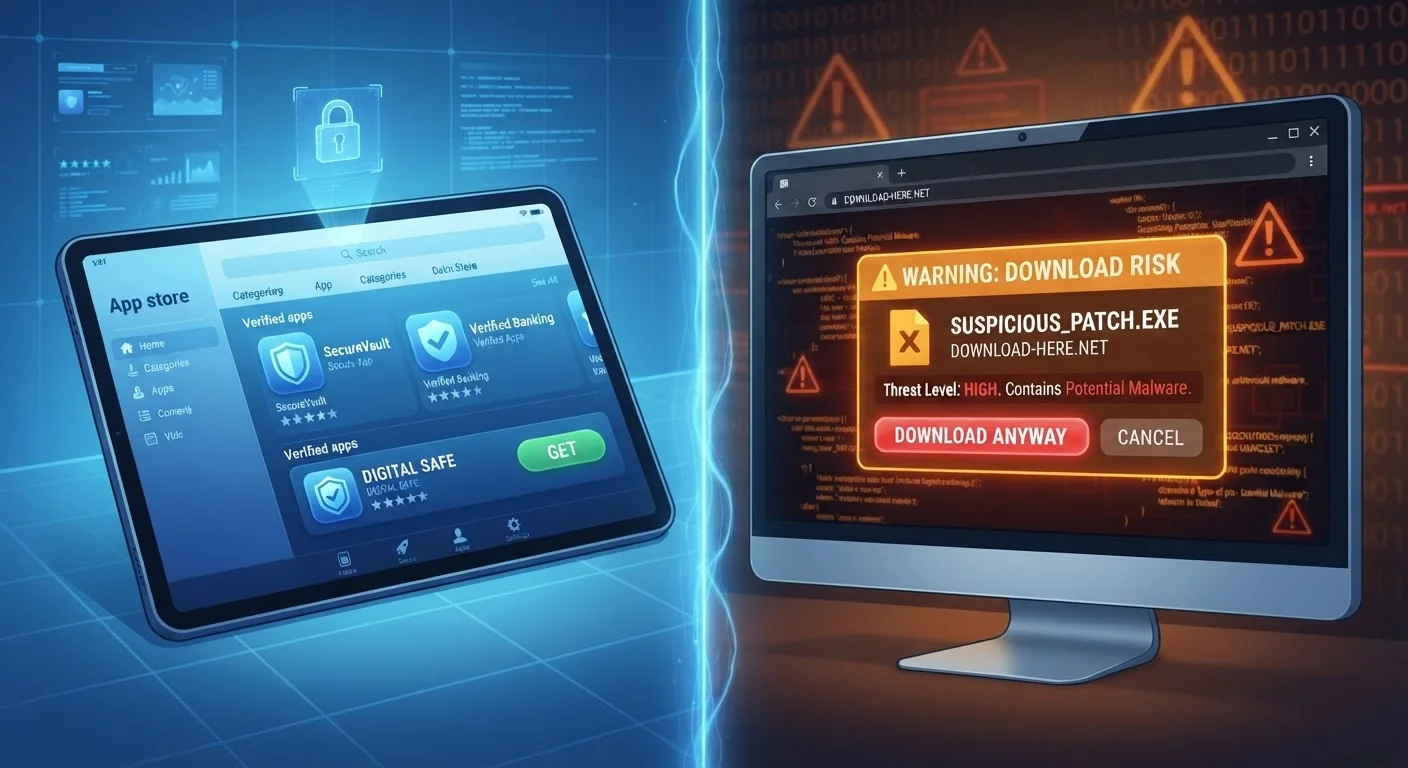
Photo: AdvisorBooth.net editorial
Key Takeaways
- Official app stores review apps before publishing them, providing a layer of security most users rely on daily.
- Sideloading means installing software from outside an official store - it's technically possible on most platforms but carries real risks.
- The security gap between the two methods is significant, particularly for less experienced users.
- Some legitimate use cases for sideloading exist, but they require informed judgment and technical caution.
- Platform policies on sideloading differ between Android, iOS, and desktop operating systems.
What Is an Official App Store?
An official app store is a centralized marketplace run by the platform manufacturer - Apple's App Store, Google Play, and Microsoft Store are the most widely used examples. Developers who want to distribute software through these channels must submit their apps for review. Reviewers check for malware, policy violations, and certain privacy concerns before approving anything for public download.
This review process isn't perfect, but it creates a meaningful filter. It means that when you install an app from an official store, someone other than the developer has at least looked at it. The store also typically handles updates automatically and provides a clear path for reporting problems or requesting refunds.
App stores also enforce rules about what software can do - limiting access to your contacts, microphone, camera, or location unless there's a clear reason. These permissions have to be declared upfront, and users can review or revoke them. To understand more about what actually happens during the installation process, see what your device does when you install an app.
What Is Sideloading?
Sideloading is the practice of installing an app from outside an official store - typically by downloading an installation file directly from a website, receiving one via email or a USB drive, or using a third-party app marketplace. The term comes from the idea of loading software "to the side" of the normal, sanctioned channel.
On Android devices, sideloading has always been technically permitted, though the system warns users before allowing it. On iPhones and iPads, Apple historically blocked the practice entirely, though regulatory pressure in some regions is gradually changing this. On desktop computers running Windows or macOS, installing software from outside a store has always been the norm - so the debate is most pointed in the mobile world.
| Official App Store | Sideloading | |
|---|---|---|
| Security screening | Review process before listing | None - user assumes responsibility |
| Ease of installation | Simple, one-tap process | Requires enabling settings, manual steps |
| Automatic updates | Yes, managed by the store | Only if the app provides its own |
| App availability | Limited to approved apps | Any software the user can find |
| Permission transparency | Standardized, auditable | Varies; no enforced standard |
| Malware risk | Lower (not zero) | Higher, especially from unknown sources |
| Typical user | General consumer | Developer, IT professional, advanced user |
Sideloaded apps skip the store's review process entirely. That means no independent check for malicious code, no standardized permissions audit, and no built-in update mechanism unless the app provides its own. The user is effectively trusting the source of the file directly.
Security: Where the Difference Really Shows
The most significant practical difference between the two approaches is security exposure. Malware - software designed to steal data, display unwanted ads, or take control of device functions - spreads most easily through unverified software packages. When an app comes from an official store, at least some automated and human screening has occurred. When it comes from an arbitrary download link, none of that applies.
Sideloading From Unknown Sources Is Risky
This doesn't mean official stores are infallible. Malicious apps have occasionally slipped through review processes on major platforms. But the rate is considerably lower than what security researchers observe in uncontrolled distribution channels. For most users, the risk difference is meaningful in practice, not just in theory.
Sideloading also makes it harder to stay updated. Official stores push updates automatically or with a single tap. A sideloaded app may silently fall behind on security patches unless the user actively monitors the source for new versions - something most people rarely do.
Legitimate Reasons People Sideload
Not every reason to sideload is reckless. There are real, valid use cases - they just tend to be more advanced or specific than typical consumer needs.
- App developers sideload their own apps onto test devices before submitting to a store - it's a standard part of the development process.
- Enterprise environments sometimes distribute proprietary internal tools this way, especially on managed corporate devices with strict IT controls.
- Regional availability gaps mean some apps are only approved in certain countries, leading users elsewhere to seek alternate sources.
- Open-source software is sometimes distributed directly by its maintainers rather than through stores, particularly on Android. As explained in our breakdown of open source vs. proprietary software, these projects operate under different distribution models by design.
In each of these cases, the person sideloading typically has a specific reason and, ideally, the technical awareness to evaluate the risk. That context matters.
How to Think About the Trade-Off
Choosing between official channels and sideloading ultimately comes down to how much you trust the source and how comfortable you are managing the associated risks personally.
Official app stores offer a managed, relatively low-risk experience in exchange for reduced flexibility. You can't always get every app you want, and stores take a revenue cut from developers - costs that sometimes flow through to you. For more on how app economics work, see how free apps actually make money - the same dynamics apply to paid ones.
Sideloading offers more control but demands more responsibility. If you're not in a position to verify what a file contains, where it came from, and whether the source has a credible track record, the risk is difficult to manage well. For most everyday smartphone users, the official store is the right default. Departing from it is a decision worth making deliberately, not accidentally.
The content on this site is for informational purposes only and is not a substitute for professional advice. Always consult a qualified professional for guidance specific to your situation.