
Tablets and Laptops Aren't Interchangeable - Here's Why

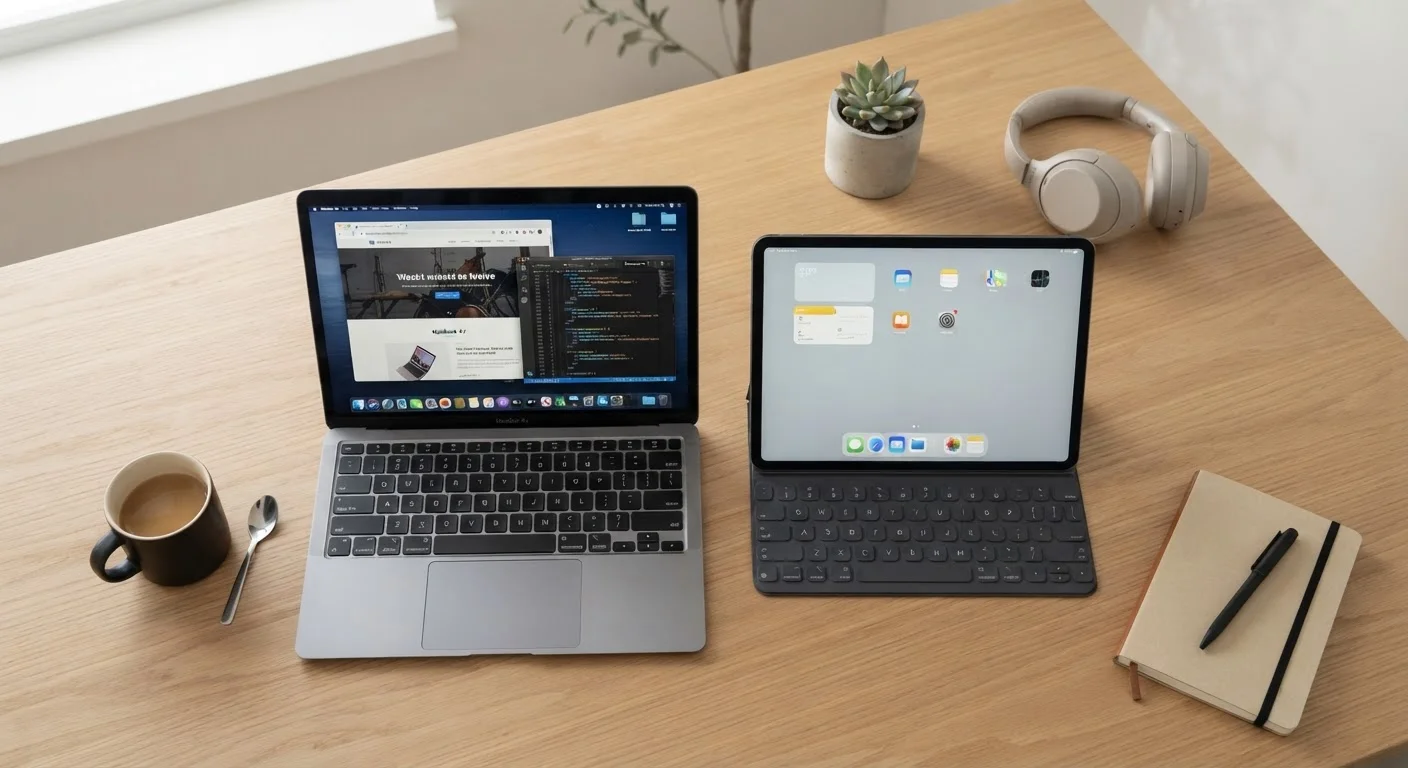
Photo: AdvisorBooth.net editorial
Key Takeaways
- Tablets prioritize portability and touch interaction; laptops prioritize keyboard-driven productivity.
- Most tablets run mobile operating systems with app-store limitations; most laptops run full desktop OSes.
- Tablets typically offer longer battery life but fewer ports and less processing power than comparably priced laptops.
- Accessories like keyboards can make tablets more productive, but they rarely match a native laptop experience.
- Your primary tasks - not device marketing - should determine which form factor you choose.
Different Designs, Different Intentions
At first glance, a thin tablet with a keyboard case and a compact laptop can look nearly identical. But appearances obscure a fundamental design difference: tablets are built around a touchscreen as the primary input, while laptops are built around a keyboard and trackpad. That starting point shapes nearly every decision manufacturers make - from the operating system to the port selection to how software is designed to run.
Most tablets ship with mobile operating systems - iOS or Android - which means they run apps distributed through curated app stores. Laptops, by contrast, almost universally run full desktop operating systems like Windows or macOS, where you can install any software directly and access system-level settings. This distinction matters enormously for professionals who rely on specific tools. A video editor, data analyst, or software developer will find that the desktop applications they depend on simply don't exist, or exist only in stripped-down form, on tablet platforms.
This isn't a flaw in tablets - it's a design choice. Mobile operating systems are optimized for responsiveness, touch interaction, and battery efficiency. Desktop operating systems are optimized for flexibility, multitasking depth, and raw processing power. Understanding that each device is solving a different problem is the key to choosing the right one. For more on how platform design shapes the apps you use, see why identical apps often feel different across devices.
Where Each Device Genuinely Excels
Tablets shine in scenarios where you're consuming rather than creating. Reading long-form articles, watching video content, video calling, light note-taking, and casual browsing are all tasks where a tablet's lightweight body, sharp display, and touch interface feel natural and effortless. The absence of a physical keyboard isn't a drawback here - it's the point. You pick it up, tap, and go.
Laptops come into their own when the work gets heavier. Typing long documents, managing spreadsheets with complex formulas, running multiple applications simultaneously, or using software that requires substantial processing power - these are laptop-native tasks. A physical keyboard isn't just a convenience for sustained typing; it's measurably faster and less error-prone than touch keyboards for most adults. Trackpads also allow precision that touchscreens struggle to match for detailed work.
| Criterion | Tablet | Laptop |
|---|---|---|
| Primary input method | Touchscreen | Keyboard & trackpad |
| Operating system | Mobile OS (iOS/Android) | Full desktop OS (Windows/macOS) |
| Software availability | App store only | Any installable application |
| Typical battery life | 10-12 hours (light use) | 6-10 hours (varies by load) |
| Multitasking depth | Limited window management | Full multi-window support |
| Port selection | Minimal (often 1-2 ports) | Multiple ports standard |
| Weight & portability | Lighter, easier to hold | Heavier, requires a surface |
| Best use case | Consumption & light tasks | Creation & heavy productivity |
Battery life is one area where tablets often hold an edge - many modern tablets can run 10 to 12 hours on a single charge, partly because their less demanding processors and software require less power. Laptops have improved significantly, but heavy workloads and full operating systems consume more energy. That said, connectivity is where laptops frequently pull ahead: more USB ports, headphone jacks, and sometimes SD card slots mean fewer adapters and dongles in your bag. For advice on how connectivity choices affect your overall setup, see our comparison of Wi-Fi, Ethernet, and cellular connections.
The Accessory Myth and What It Actually Means
Tablet makers and accessory manufacturers have worked hard to close the productivity gap. Detachable keyboards, stylus pens, and trackpad covers can genuinely expand what a tablet can do. But it's worth being clear-eyed about the trade-off: adding a keyboard to a tablet gives you a keyboard-equipped tablet, not a laptop. The underlying software architecture, multitasking limitations, and app ecosystem remain unchanged.
For many users, that's perfectly acceptable. Someone who handles email, light document editing, and web research will find a tablet-plus-keyboard setup comfortable. But for those who need to run demanding software, juggle many windows, or use tools built specifically for desktop environments, accessories can only go so far. The operating system is still the ceiling.
When a 2-in-1 Might Make Sense
The longer you intend to keep a device, the more these distinctions matter. A laptop's ability to run updated full-featured software often gives it a longer useful life for productivity purposes. For practical tips on extending the life of whichever device you choose, our guide on habits that extend hardware life is worth a read.
The content on this site is for informational purposes only and is not a substitute for professional advice. Always consult a qualified professional for guidance specific to your situation.