
Understanding Software Versioning: What Those Numbers Actually Mean

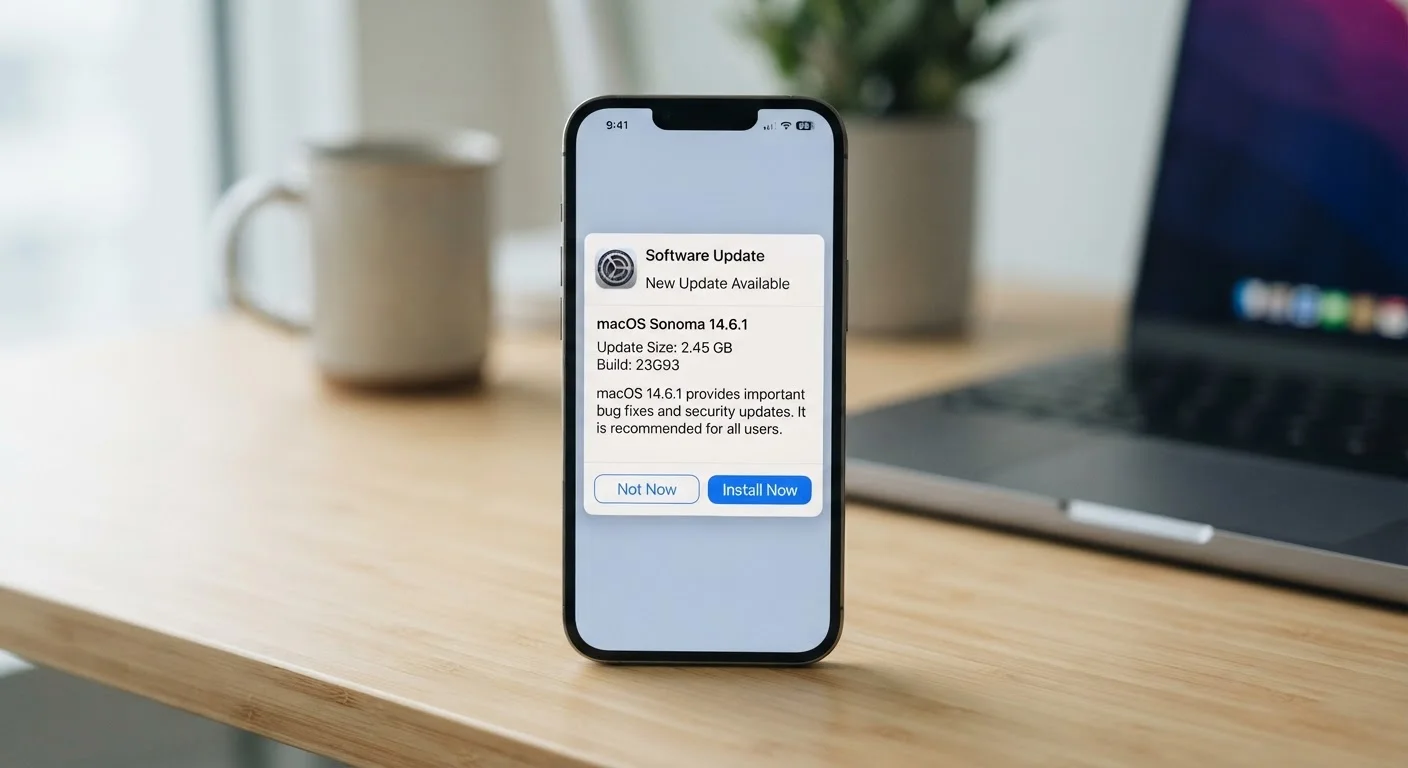
Photo: AdvisorBooth.net editorial
Key Takeaways
- The first number in a version string signals a major, potentially breaking change to the software.
- The middle number typically represents new features that don't break existing functionality.
- The last number usually indicates small bug fixes or security patches with no feature changes.
- A jump from version 2 to version 3 means far more has changed than a jump from 2.1 to 2.2.
- Not all software follows the same numbering convention, but the general logic of scale applies broadly.
- Understanding version numbers helps you judge whether an update is urgent or optional.
The Three-Part Structure Behind Most Version Numbers
Look at almost any software update - on your phone, your laptop, or a web application - and you'll find a version number made up of segments separated by dots. Something like 14.3.1 or 3.11.2. This format isn't arbitrary. In the most widely used system, known as Semantic Versioning, each segment tells you something specific about how much the software has changed.
The first number (called the major version) indicates a significant overhaul. When this number increases, something fundamental has shifted - the software may work differently, drop old features, or no longer be compatible with files or tools built for the previous version. Going from version 2 to version 3 is a meaningful leap.
The middle number (the minor version) goes up when new features are added but the core software remains backward-compatible. Users can typically update without worrying that things will break. This is the most routine type of meaningful change.
The last number (the patch version) covers the smallest changes: bug fixes, security patches, and minor corrections. These updates change nothing about how the software works from a user perspective - they simply fix something that was wrong. Patch updates are typically the safest and most urgent to install.
3
Segments in a standard Semantic Version number
The MAJOR.MINOR.PATCH structure is defined by the Semantic Versioning specification at semver.org, maintained by the open-source community.
~80%
Of top open-source projects using SemVer
A widely cited analysis of public software repositories found the large majority of actively maintained open-source projects follow Semantic Versioning conventions.
Why This Matters for Everyday Software Decisions
Once you understand the structure, a version number becomes a quick signal about urgency and risk. A patch update - say, moving from 12.4.0 to 12.4.1 - is almost always low-risk and may address a security vulnerability you'll want closed. A minor update like 12.4 to 12.5 adds features but shouldn't disrupt anything. A major update from 12 to 13 warrants a closer look, especially if you rely on specific workflows or plugins that could be affected.
This is directly relevant to decisions about when and why to apply software updates. Knowing the difference between a patch and a major release helps you prioritize. Skipping patch updates carries more real-world risk than many users realize - these are often responses to discovered security flaws.
Check Release Notes Before Major Updates
Not Every Developer Follows the Same Rules
Semantic Versioning is the dominant convention in software development, but it's far from universal. Some software uses calendar versioning, where the date becomes part of the version number - Ubuntu Linux, for example, has long used a YY.MM format like 24.04, indicating the April 2024 release. Some products, particularly consumer-facing ones, use marketing-friendly whole numbers that don't precisely correspond to technical milestones.
Microsoft Windows illustrates how version labels can diverge from underlying version numbers entirely - Windows 10 and Windows 11 are familiar labels, but both have detailed internal build numbers that IT professionals use for precision. Similarly, firmware updates on devices use their own versioning schemes that follow device-specific conventions.
The takeaway: the exact format varies, but the underlying logic - larger number changes signal larger changes to the software - holds consistently. When in doubt, the release notes accompanying any update explain in plain language what changed. Those notes are worth reading, especially before a major version upgrade.
Your smartphone prompts you to update your operating system from version 17.5.1 to 17.5.2.
A photo editing application you use releases version 5.0, jumping from 4.8.
A productivity app moves from version 3.2 to 3.3, advertising new collaboration tools.
A developer releases a tool labeled version 0.8.0 beta.
Version Numbers as a Trust Signal
There's another dimension to versioning that's easy to overlook: maturity. A software product at version 0.9 or 1.0 is typically in early stages - the developer is signaling that the product is still stabilizing. A product at version 8.2.4 has been through years of iteration, bug-fixing, and user feedback. Version numbers, in this sense, function similarly to understanding what any set of numbers communicates about a product's development history - much like reading between the lines of product specifications to determine real-world reliability.
Software labeled as beta or release candidate (RC) is in a pre-release testing phase. Beta software is feature-complete but still being tested for bugs. Release candidates are very close to final. Neither is intended for everyday users who need reliability. Stable, numbered releases are what most people should run.
Understanding these conventions puts you in a better position to make informed decisions - whether that's deciding which update to prioritize tonight or evaluating how mature a new application really is before committing to it.
“A version number is a promise to your users. It tells them how much they need to prepare before updating and how much trust they can place in the stability of what they're running.”
— Tom Preston-Werner, Co-founder of GitHub and author of the Semantic Versioning specification
Frequently Asked Questions
The content on this site is for informational purposes only and is not a substitute for professional advice. Always consult a qualified professional for guidance specific to your situation.