
Wired vs. Wireless Earbuds: What Changes Beyond the Cable

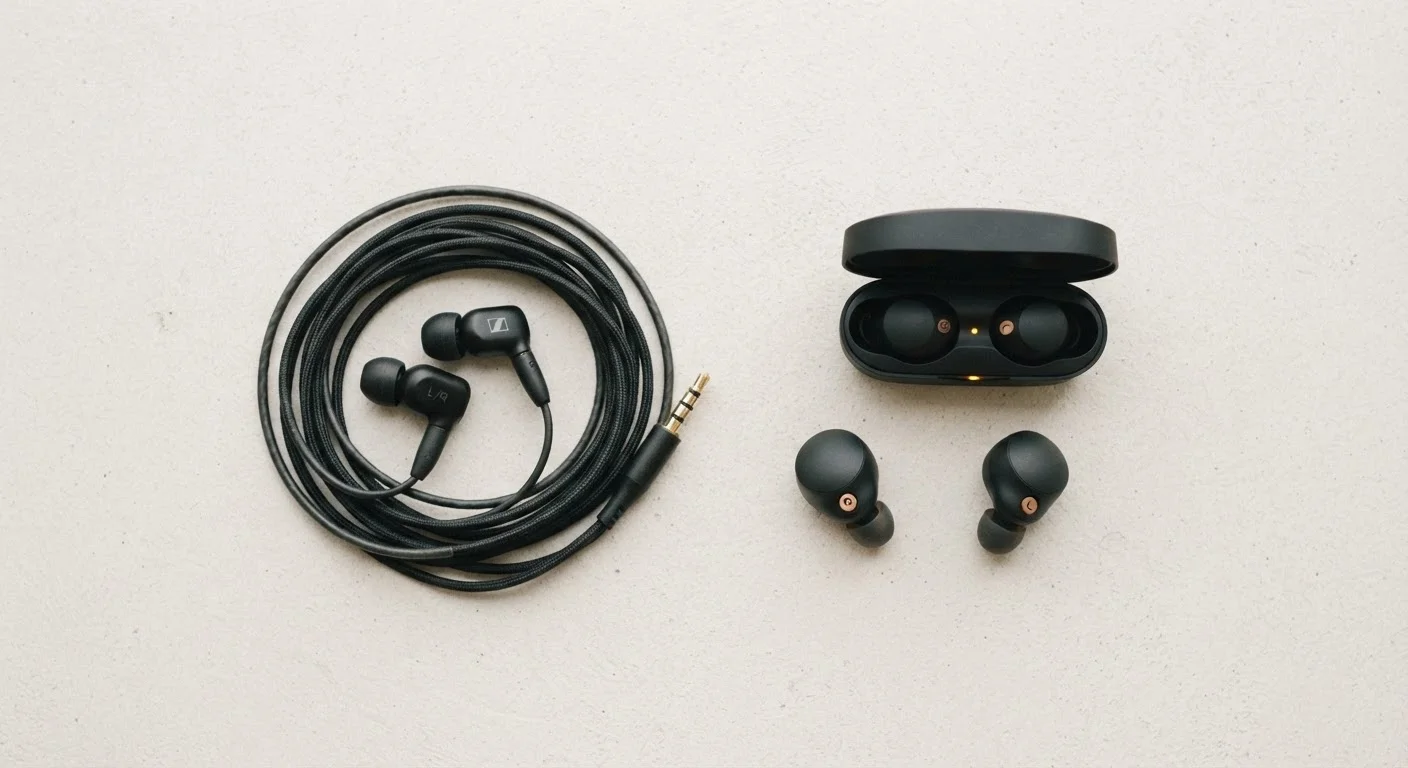
Photo: AdvisorBooth.net editorial
Key Takeaways
- Wired earbuds deliver audio through a direct electrical signal; wireless earbuds transmit audio via Bluetooth radio waves.
- Wireless earbuds introduce a small amount of audio processing latency that wired connections avoid entirely.
- Battery life and charging habits become a daily consideration with wireless earbuds that wired users never face.
- Wireless earbuds are more prone to interference and connection drops in crowded radio environments.
- Modern Bluetooth codecs have significantly closed the audio quality gap between wired and wireless.
- Wired earbuds are generally more durable over time due to fewer mechanical and electronic failure points.
How Each Type Delivers Sound to Your Ears
The most fundamental difference between wired and wireless earbuds isn't the cable - it's the entire signal path the audio travels before reaching your eardrums.
With wired earbuds, the audio signal travels as an electrical current from the source device - a phone, laptop, or dedicated audio player - through the cable directly to the driver inside each earbud. That driver converts the electrical signal into physical sound vibrations. There's no encoding, no transmission, no decoding. The signal is analog from start to finish (or digital if using USB-C audio with an onboard DAC, meaning a digital-to-analog converter built into the cable or plug).
With wireless earbuds, the process is more involved. The source device encodes the audio into a compressed data stream using a Bluetooth codec - common ones include SBC, AAC, and aptX. That stream is transmitted as radio waves to the earbuds, where a tiny receiver decodes it and a built-in DAC converts it back to an analog signal before it drives the speaker. To learn more about how Bluetooth works as a technology, see our guide to Bluetooth, Wi-Fi, and NFC.
That extra chain of steps in wireless audio has real implications for latency and quality - though the gap is narrower today than it was a decade ago.
Audio Quality and Latency: What the Research Shows
For years, wired earbuds held a clear advantage in audio fidelity. Compression artifacts from early Bluetooth codecs were audible, especially in music with complex high-frequency content. That advantage has eroded as higher-quality codecs have become standard.
Modern codecs like aptX HD and LDAC can transmit audio at bitrates high enough that most listeners won't detect a difference in everyday listening. However, the encoding-and-decoding process still introduces a measurable delay - typically between 40 and 200 milliseconds depending on the codec and device pairing. For casual music listening, that delay is imperceptible. For watching video or playing games where audio must sync precisely to on-screen action, it can be noticeable.
| Criterion | Wired Earbuds | Wireless Earbuds |
|---|---|---|
| Signal path | Direct electrical connection | Bluetooth radio transmission |
| Audio latency | Effectively zero | 40-200ms depending on codec |
| Battery required | No - powered by source device | Yes - onboard battery |
| Audio compression | None (analog or lossless USB) | Codec-based compression |
| Interference risk | None | Possible in crowded 2.4GHz environments |
| Smart features (ANC, transparency) | Rarely available | Commonly included |
| Long-term durability | Cable wear is main risk | Battery degradation over 2-3 years |
| Setup required | Plug in and play | One-time Bluetooth pairing |
Wired connections carry no such delay. The signal is immediate, which is why audio professionals and gamers who require tight sync often still prefer wired setups.
40-200ms
Typical Bluetooth audio latency range
Latency varies significantly based on the codec in use; aptX Low Latency targets under 40ms, while standard SBC can exceed 150ms.
2-3 years
Typical wireless earbud battery lifespan
Lithium-ion batteries in earbuds generally begin showing reduced capacity after 300-500 full charge cycles under normal use.
2.4 GHz
Bluetooth operating frequency band
Bluetooth shares this band with many Wi-Fi networks and household electronics, which can contribute to interference in dense signal environments.
Battery, Durability, and Daily Reliability
Wireless earbuds introduce an entirely new category of consideration: power management. Most wireless earbuds offer between four and eight hours of playback per charge, with a charging case extending total use to twenty hours or more. That's adequate for most daily use, but it requires building a charging habit. Forgetting to charge means silence when you need sound most.
Wired earbuds sidestep this entirely. They draw power from the source device - your phone's headphone jack or USB-C port - so they work as long as your phone has charge. This passive power draw is minimal and won't noticeably impact your phone's battery life.
On durability, wired earbuds have fewer failure points. A wireless earbud contains a battery, Bluetooth radio, DAC, amplifier, and often additional sensors for touch controls or active noise cancellation. Each of those components can fail independently. Batteries also degrade over time, meaning wireless earbuds that feel new today will typically offer reduced battery life after two to three years of daily use. The cable on a wired earbud can fray - that's a real weakness - but the fix is usually straightforward replacement rather than device retirement.
Interference, Compatibility, and Connection Reliability
Wired earbuds connect deterministically. Plug them in and they work - no pairing, no firmware, no interference. The only compatibility question is connector type: 3.5mm audio jack versus USB-C, the latter of which increasingly requires a DAC in the cable.
Wireless earbuds rely on Bluetooth, which operates in the 2.4 GHz radio band - the same spectrum used by many Wi-Fi networks, microwaves, and other Bluetooth devices. In dense environments like airports, open-plan offices, or urban streets, signal congestion can cause momentary dropouts or audio stuttering. These interruptions are usually brief but can be frustrating during calls or presentations.
Pairing reliability has improved significantly with newer Bluetooth versions (5.0 and above), but reconnection behavior - how earbuds re-pair when you take them out of the case - still varies by model and operating system. iPhone users, for example, may find wireless earbuds pair differently with Android devices due to proprietary pairing protocols.
For context on how Bluetooth compares to other wireless standards in terms of range and interference behavior, see how Bluetooth, Wi-Fi, and NFC each handle data transmission differently.
The content on this site is for informational purposes only and is not a substitute for professional advice. Always consult a qualified professional for guidance specific to your situation.