
Paper Budget vs. Spreadsheet vs. App: Choosing Your Format

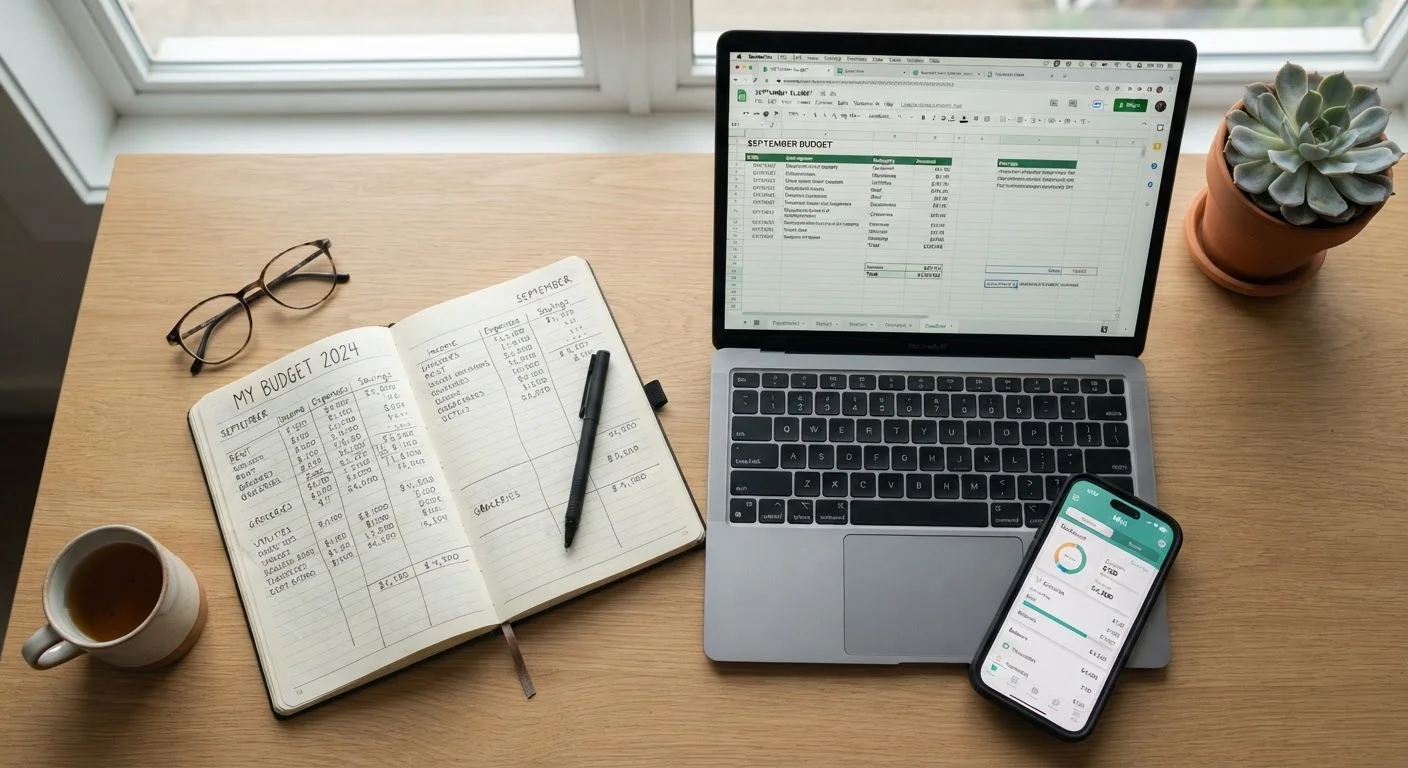
Photo: AdvisorBooth.net editorial
Key Takeaways
- Paper budgets build strong financial awareness but require manual effort and offer no automation.
- Spreadsheets offer maximum flexibility and control, but work best for people comfortable with basic math or formulas.
- Budgeting apps automate tracking and sync with accounts, though they involve trust with financial data.
- The format you'll consistently use is more valuable than the one that looks most impressive.
- Many people combine two formats - for example, an app for daily tracking and paper for monthly review.
Why Format Matters More Than You Think
Most budgeting advice focuses on what to track - income, fixed expenses, discretionary spending - but far less attention goes to how you track it. That's a meaningful gap, because even a well-designed budget collapses if the format creates friction you won't push through.
Format shapes how often you engage with your budget, how clearly you see patterns, and whether the process feels like a chore or a habit. If you're building a budget for the first time, the ground-up walkthrough is a useful companion - but returning here to choose your format first can save you from starting over later.
This comparison examines paper, spreadsheets, and apps across practical dimensions: effort, accuracy, flexibility, privacy, and longevity.
| Paper Budget | Spreadsheet | Budgeting App | |
|---|---|---|---|
| Setup time | Low - pen and notebook | Medium - requires template building | Low - guided onboarding |
| Ongoing maintenance | High - fully manual | Medium - manual data entry | Low - auto-syncs accounts |
| Customization | Unlimited but unstructured | Highly flexible with formulas | Limited to app's framework |
| Data privacy risk | None - fully offline | None if kept locally | Moderate - third-party access |
| Error detection | None - manual math | Formula-based alerts possible | Automated flagging |
| Best for | Beginners, tactile learners | Detail-oriented, custom needs | Busy users, multi-account households |
Paper Budgets: Slow Down to See Clearly
Writing a budget by hand forces deliberate engagement. Research on note-taking suggests that handwriting information aids retention - the same principle applies to budgeting. When you physically record a number, you're less likely to gloss over it.
Paper works especially well for people who find screens distracting, those who respond well to visual layouts like the cash envelope method, or anyone who wants a screen-free wind-down ritual at the end of the month.
The limitations are real: no automatic calculations, no sync with bank accounts, and paper is vulnerable to damage or loss. A miscalculation won't flag itself. Still, for building foundational awareness of where money goes, few methods match the mindfulness that pen and paper demand.
Try a One-Month Paper Trial First
Spreadsheets: Control Without Constraints
A spreadsheet sits between paper and apps - more automated than handwriting, more customizable than any pre-built app. You design the categories, the formulas, the visual layout, and the level of detail. That flexibility is genuinely powerful for people who want their budget to reflect their exact financial life rather than a generic template.
Spreadsheets handle complexity well. Freelancers and gig workers managing variable income, for instance, can build month-by-month variance tracking that no app offers out of the box - see our guide on budgeting on an irregular income for strategies that pair well with a spreadsheet format.
The trade-off is maintenance. Data must be entered manually (unless linked to external tools), and building a useful template requires upfront time. For someone who finds formulas stressful, this friction may undermine consistency.
Budgeting Apps: Automation With Trade-Offs
Apps offer the lowest day-to-day friction. Most connect directly to bank and credit card accounts, categorize transactions automatically, and send alerts when you're near a spending limit. For households juggling multiple accounts or two incomes, that real-time visibility can be genuinely useful.
The primary concern is data privacy. Connecting a financial app to your bank accounts means sharing credentials or read-only access with a third party. Reputable services use bank-level encryption, but it's worth reading a provider's data-sharing policies carefully before connecting accounts. Some people prefer apps that work without bank connections, requiring manual entry like a spreadsheet but with a polished interface.
Apps also impose structure you may not have chosen - their category systems, budget frameworks, and reporting views are fixed or only partly adjustable. If you prefer the zero-based or 50/30/20 method, check whether your app supports that approach before committing.
Choosing What You'll Actually Stick With
The most sophisticated budgeting tool is useless if it sits unopened. Before choosing a format, consider a few honest questions: Do you prefer analog or digital habits? Are you comfortable linking financial accounts to third-party services? How much time will you realistically spend on maintenance each week?
Many people find that combining formats works best - using an app for daily transaction tracking and paper or a spreadsheet for a focused monthly budget review. There's no rule against mixing approaches.
If budgeting as a concept feels burdensome regardless of format, lower-friction saving strategies may complement whichever tool you choose. The broader framework for connecting your format to a complete money plan is covered in this comprehensive budgeting overview.
This article is for general informational and educational purposes only and does not constitute personalized financial advice. Consult a qualified financial professional for guidance specific to your situation.
The content on this site is for informational purposes only and is not a substitute for professional advice. Always consult a qualified professional for guidance specific to your situation.